ChatDock — Keep your work and personal Discord apart
A downloadable tool for Windows
Your Discord accounts, in one window. No more mix-ups.
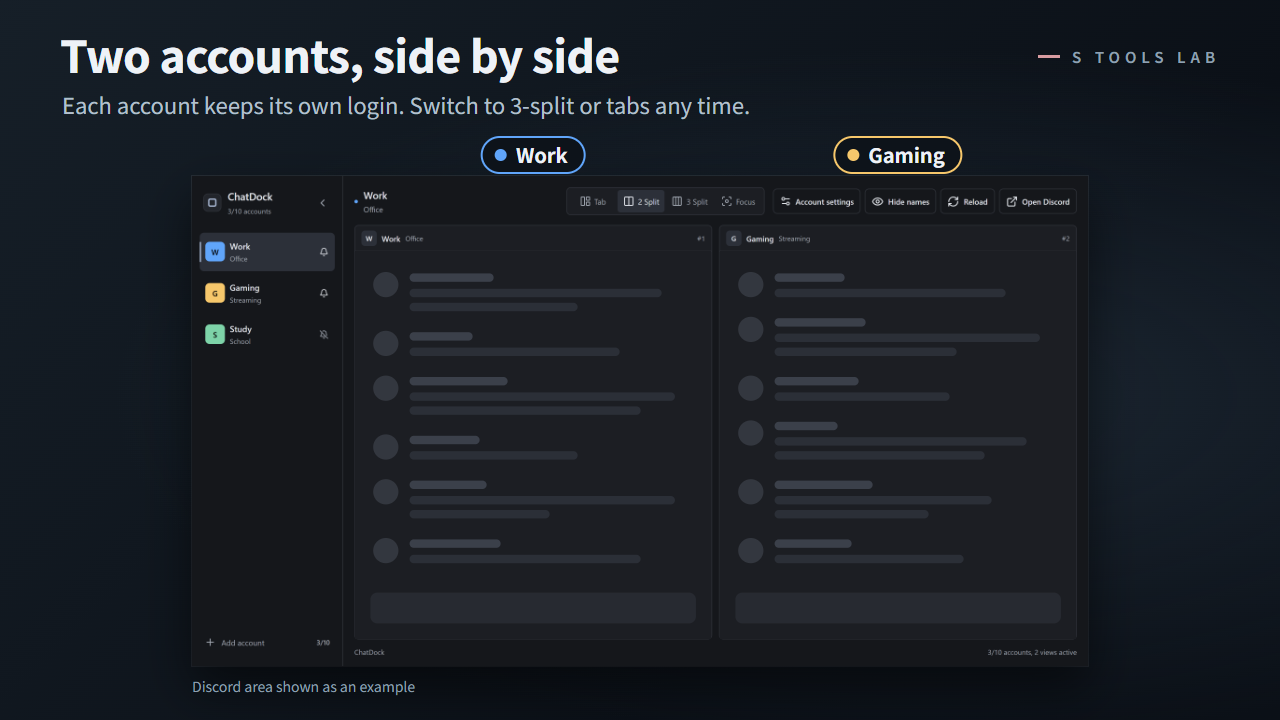
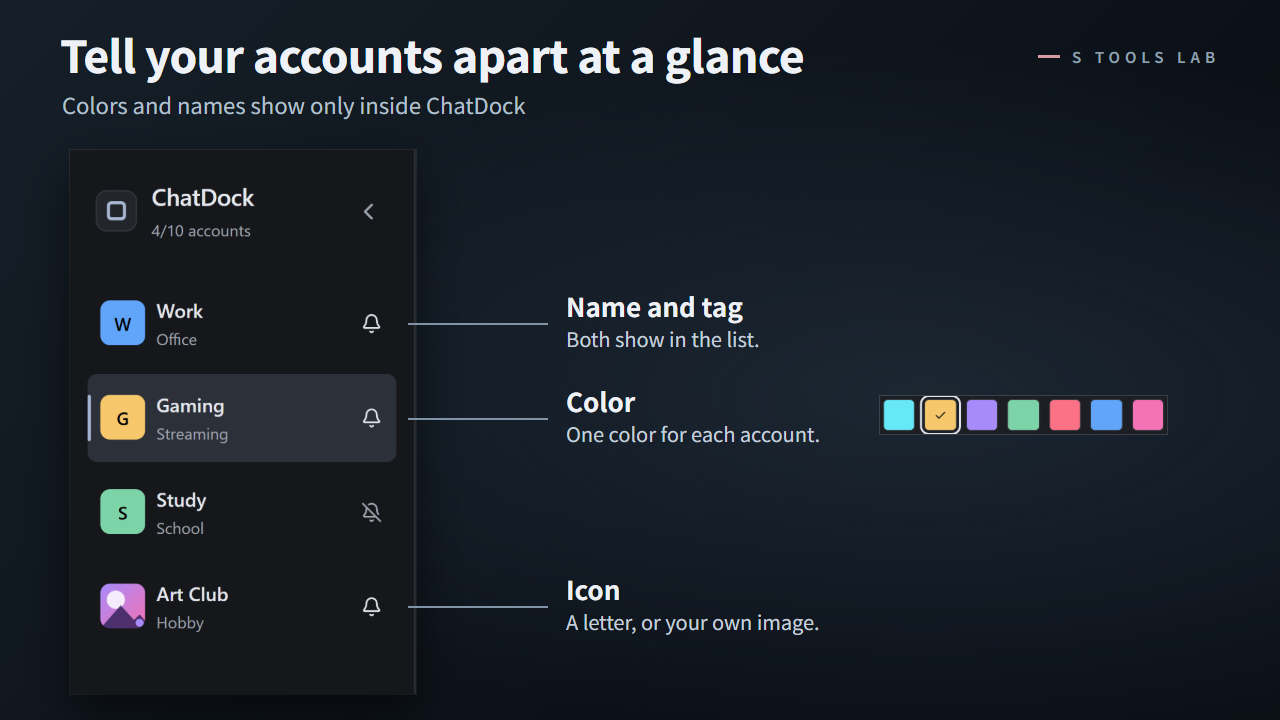
ChatDock is a Windows app that keeps your Discord accounts in one window. Pick an account from the sidebar, or view up to 3 side by side. Give each account its own color, icon and name, so you always know which one you're typing in.
What you can do
- Add up to 10 Discord accounts. Each one stays signed in separately — even after you close and reopen ChatDock. No more logging out and back in.
- Tabs, 2-split, 3-split or focus view — switch layouts any time.
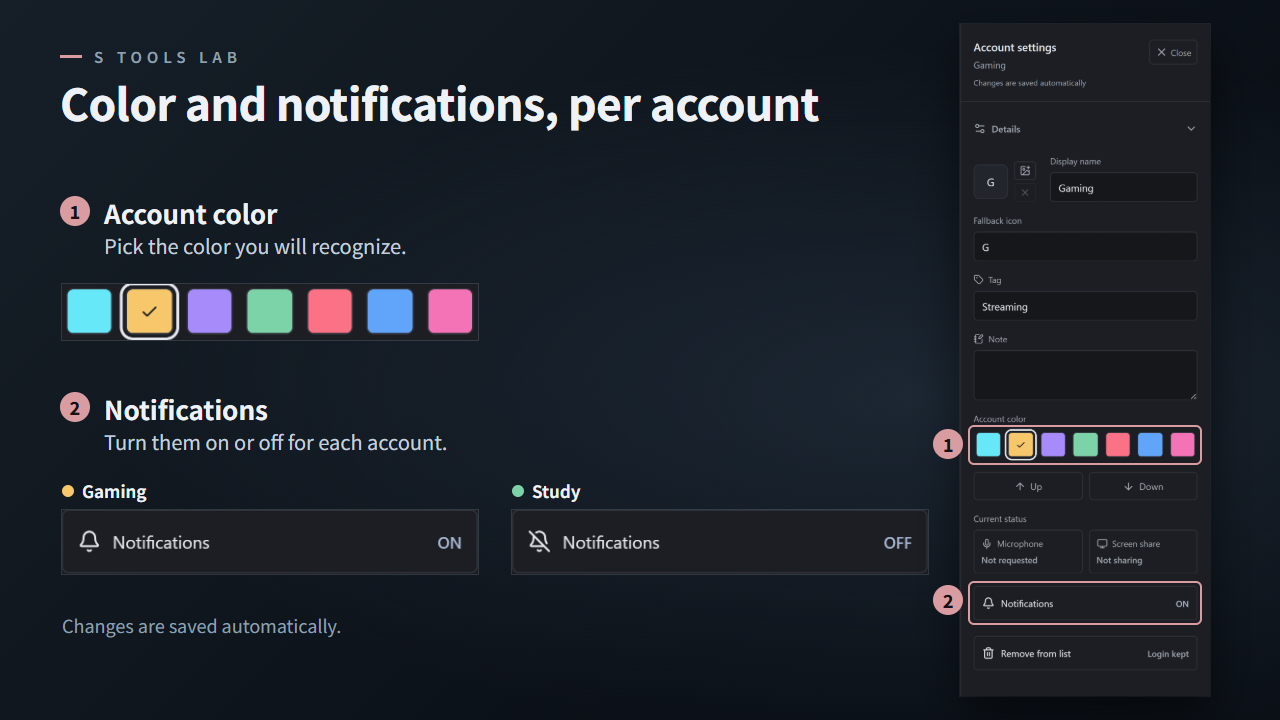
- Color, image icon and display name for each account (only inside ChatDock — your Discord profile doesn't change).
- Notifications on/off per account, with Windows notifications and an unread badge on the taskbar.
- Hide names mode for when you're streaming or sharing your screen.
How it works
ChatDock shows the regular Discord web app (discord.com/app) for each account, each in its own separate session. You sign in with the normal Discord login page. ChatDock adds only two small features to that page:
- It passes Discord's own notifications to Windows, so they show up per account.
- It reports only whether your mic or screen share is in use (yes or no), so the sidebar can show a mic/share icon.
ChatDock doesn't read your messages, doesn't click or type anything for you, doesn't touch your login token, and has no tracking or analytics — it sends nothing to S Tools Lab. Your sign-ins are stored only on your PC.
Before you buy
- Windows 10/11 x64 only. No Mac or Linux version.
- ChatDock is an independent app, not made or endorsed by Discord. We can't speak for how Discord treats third-party apps — please decide for yourself.
- Seeing other people's screen shares in a call doesn't work in ChatDock right now. Use the official Discord app for that.
- The app isn't code-signed, so Windows SmartScreen may show a warning the first time you run it ("More info" → "Run anyway" if you trust this download).
- On a work computer, check your company's rules before installing.
- English and Japanese are included.
- ChatDock makes the active account hard to miss, but it can't stop a wrong send.
Also by S Tools Lab
- OBS Mute Switch — an on-screen mute button for OBS
- Utawaku Master — free one-knob mastering for karaoke streams
I'm a music producer in Japan making small tools for streamers, as S Tools Lab.
Follow for new tools: x.com/Stoolslab
Purchase
In order to download this tool you must purchase it at or above the minimum price of $2.99 USD. You will get access to the following files:
Leave a comment
Log in with itch.io to leave a comment.